










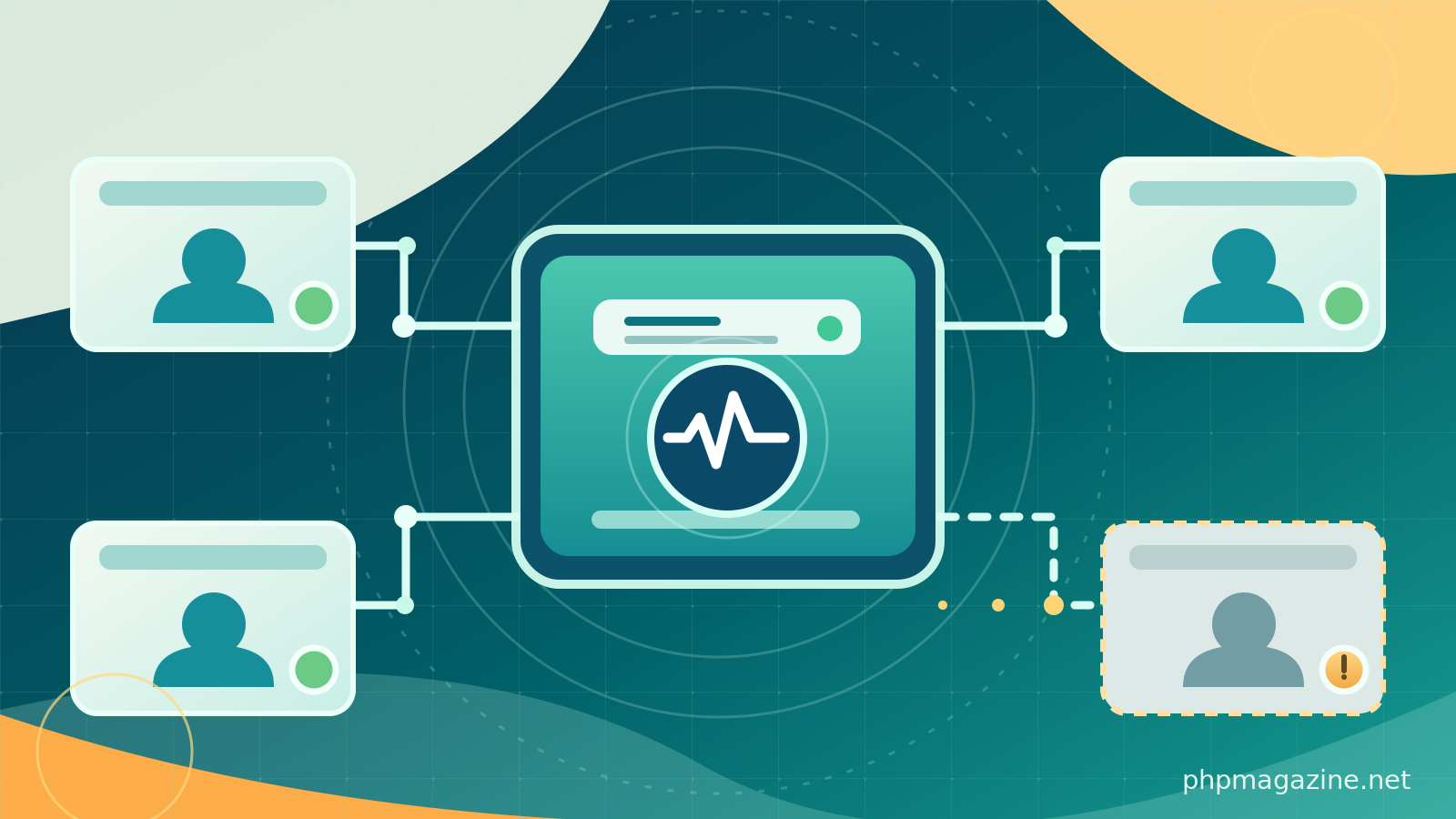
PHP Architecture Lab — Season 2, Episode 02. Open the task board in two browser windows. Both receive live updates. But can the application answer a simple question: who is currently connected? And what should it display when someone closes a tab, loses Wi-Fi, or returns after a network interruption?
Episode 01 gave us durable tasks in SQLite and a single Workerman WebSocket worker that broadcasts the board. Today we keep that application intact and add presence: a transient view of the participants with active connections.
This sounds like a user-list feature, but it exposes a fundamental distinction in distributed systems. A task remains valid when its owner disconnects. A network connection does not. Modeling both as durable database records would create misleading states and unnecessary cleanup problems.
First, Define What “Online” Actually Means
In our lab, online means that the server currently holds a joined WebSocket connection and has received a message from it recently enough. That is not proof that the named person is at the keyboard, that they are reading the board, or even that their claimed identity is genuine.
Production presence may require authenticated user identities and a separate activity signal such as away or last active. For this exercise, we deliberately track only connection liveness.
A single user can open three tabs. Should the board display three people? Usually not. We therefore distinguish a logical user from a connection session. Presence groups sessions by user ID while keeping a connection count.
Logical user: Alex (demo user ID)
    Connection 101 — browser tab A
    Connection 118 — browser tab B

Logical user: Sam (different demo user ID)
    Connection 126 — browser tab C

Displayed presence: Alex (2 connections), Sam (1 connection)
We use a browser-generated ID saved in localStorage solely to demonstrate that two tabs from the same profile represent one logical user. It is not authentication. Anyone can invent or copy such an ID; real systems must derive identity from verified server-side credentials.
1. Introduce an Ephemeral Presence Tracker
Keep the tasks table and BoardStore from Episode 01. The new component, PresenceTracker, stores temporary sessions inside the worker. Each session contains the logical user ID, a display name, and a last-seen timestamp.
final class PresenceTracker
{
    private array $sessions = [];

    public function join(int $connectionId, string $userId,
                         string $name, int $now): void
    {
        // Validate identity and name (see full source).
        $this->sessions[$connectionId] = [
            'userId' => strtolower($userId),
            'name' => trim($name),
            'lastSeen' => $now,
        ];
    }

    public function touch(int $connectionId, int $now): bool
    {
        if (!isset($this->sessions[$connectionId])) return false;
        $this->sessions[$connectionId]['lastSeen'] = $now;
        return true;
    }

    public function remove(int $connectionId): void
    {
        unset($this->sessions[$connectionId]);
    }
}
The full implementation validates names, groups multiple connections belonging to the same demo user, produces a sorted participant snapshot, and identifies expired sessions. Notice what it does not do: persist online indicators in SQLite.
Presence state is deliberately disposable. After the worker restarts, all participants must reconnect before appearing online again. This is a more accurate state than resurrecting old “online” rows from disk.
2. Add Application-Level Heartbeats
A graceful browser close usually triggers Workerman’s onClose callback. A power outage or broken network path may not. The server may not immediately learn that the connection has disappeared. Workerman explicitly documents this limitation.
Our browser therefore sends a regular JSON heartbeat every ten seconds. The server acknowledges it and records the session’s new last-seen time.
// In the Workerman message handler, after hello/join:
if (!isset($clients[$id]) || !$presence->touch($id, time())) {
    throw new InvalidArgumentException('Join before sending commands.');
}
if ($type === 'heartbeat') {
    sendJson($conn, ['type' => 'heartbeat.ack']);
    return;
}
The heartbeat here is an ordinary application message, not a WebSocket protocol Ping frame. Browser JavaScript cannot directly initiate protocol-level Ping frames through the standard WebSocket API. This approach gives our application explicit heartbeat timestamps and a simple acknowledgement mechanism.
Heartbeat intervals are design choices rather than universal constants. Ten seconds is a reasonable local experiment; production systems must tune traffic, mobile networks, proxies, battery usage, and false-positive disconnection rates.
3. Detect Stale Connections Without Waiting Forever
Every five seconds, the Workerman event loop runs a timer. A session with no messages for more than 30 seconds is considered stale. The server removes its presence record and closes the associated socket.
Timer::add(5, static function () use (&$clients, $presence): void {
    $expired = $presence->expired(time(), 30);

    foreach ($expired as $id) {
        $presence->remove($id);
        $connection = $clients[$id] ?? null;
        unset($clients[$id]);
        if ($connection) $connection->close();
    }

    if ($expired !== []) {
        broadcast($clients, [
            'type' => 'presence.snapshot',
            'users' => $presence->participants(),
        ]);
    }
});
The timer runs inside onWorkerStart. It is not a new HTTP endpoint and does not require the browser to ask who is online. Each time the participant set changes, the server pushes a new snapshot to connected clients.
The deadline is approximate. The timer runs periodically, scheduling may be delayed by blocking work, and network conditions can make an otherwise healthy browser appear silent. A timeout is an operational policy, not certainty that a person has left.
4. Remove Presence on a Normal Disconnect
Waiting 30 seconds after a deliberate tab close would make the user list unnecessarily stale. Workerman provides an onClose callback, which lets us remove a known connection promptly:
$worker->onClose = static function (TcpConnection $conn)
    use (&$clients, $presence): void {
    $id = spl_object_id($conn);
    $wasJoined = isset($clients[$id]);
    unset($clients[$id]);
    $presence->remove($id);

    if ($wasJoined) {
        broadcast($clients, [
            'type' => 'presence.snapshot',
            'users' => $presence->participants(),
        ]);
    }
};
A disconnect removes only that connection. If Alex still has another tab open, Alex remains online with one connection. If both tabs disappear, Alex disappears from the participant list.
In this single-process experiment, a close and an expiration pass may both attempt cleanup. The removal operation is idempotent: deleting an already-removed session has no additional effect. Production systems should also avoid unnecessary duplicate presence broadcasts.
5. Let the Browser Reconnect and Rejoin
A collaboration app should not require a manual refresh every time Wi-Fi briefly disappears. The browser now retries WebSocket connections using bounded exponential backoff and a small random delay.
let reconnectAttempts = 0;
function connect() {
  const ws = new WebSocket('ws://127.0.0.1:8080');

  ws.addEventListener('open', () => {
    reconnectAttempts = 0;
    ws.send(JSON.stringify({ type: 'hello', userId, name }));
    // Start periodic heartbeats (full source).
  });

  ws.addEventListener('close', () => {
    const delay = Math.min(
      30000, 1000 * 2 ** Math.min(reconnectAttempts++, 5)
    ) + Math.floor(Math.random() * 400);
    setTimeout(connect, delay);
  });
}
connect();
A reconnection is a new transport session. The browser sends hello again. The server joins the session, delivers an authoritative board snapshot from SQLite, and broadcasts the new presence list.
This matters because changes may have happened while the browser was disconnected. Replaying a current snapshot is enough for our small board. It does not preserve commands attempted offline or resolve edits made against old state. Those topics belong to later episodes.
The full browser example also checks for a missing heartbeat acknowledgement. If it receives none for more than 35 seconds, it closes the socket to trigger reconnection. Browser background-tab throttling can cause false timeouts, so real applications should evaluate platform behavior rather than assume timers fire precisely.
6. Test Presence as a State Machine
Presence deserves its own tests because the interesting failures are timing and identity problems, not HTML rendering problems. The downloadable Episode 02 project contains tests/presence_test.php, which runs without Workerman or a database.
$tracker->join(10, $idAlex, 'Alex', 1000);
$tracker->join(11, $idAlex, 'Alex', 1000);
$tracker->join(12, $idSam, 'Sam', 1000);

// Two logical people, three active connections.
if (count($tracker->participants()) !== 2) {
    throw new RuntimeException('Incorrect online count');
}

$tracker->touch(10, 1020);
// At t=1031, Alex's second tab and Sam have expired.
$expired = $tracker->expired(1031, 30);
For manual integration tests, open two independent browser profiles to simulate two people. Two normal tabs within one profile intentionally share the same demo user ID. Disconnect one browser, then reconnect it. Finally, terminate the worker and restart it: tasks should remain, while presence should rebuild only as browsers reconnect.
- Graceful close: a closing tab disappears promptly through
onClose. - Silent network loss: an unresponsive session disappears after the timeout policy, not immediately.
- Multiple tabs: closing one of two sessions does not mark the logical user offline.
- Worker restart: the board survives in SQLite, but presence starts empty.
- Temporary disconnection: the browser rejoins and receives the current board again.
7. Why Not Put Presence in SQLite?
Nothing prevents you from recording last-seen timestamps in a database for analytics or audit purposes. But those records are not identical to a live connection registry. A stored timestamp can describe past activity without proving a socket currently exists.
Keeping this experiment’s presence in worker memory is economical and easy to reason about. Its limitation is equally clear: if we add multiple Workerman processes, each sees only its own sessions. One node may claim a user is offline even when that user remains connected to another node. A shared presence store, fan-out, and expiration semantics will be necessary when we scale across servers in Episode 06.
Do not confuse that future distributed architecture with a reason to install Redis today. We have deliberately chosen a single worker for now, so in-memory ephemeral state is sufficient for the learning goal.
The Decision: Model Liveness Separately from Identity and Activity
We now have two different state lifetimes. Durable board data survives a process restart in SQLite. Ephemeral presence exists only while sessions remain current. The demo ID groups connections but does not authenticate users. A heartbeat proves recent communication, not attention.
This distinction is the central result of Episode 02. A reliable collaborative interface should make fewer assumptions about who is “online” than the user interface may initially suggest.
Next: Two Users, One Change
A live board with reliable presence still faces a harder question. What happens when two connected participants move the same task at nearly the same time? Or when a reconnected browser sends a change based on an older version of that task?
Episode 03 will add version checks and explicit conflict handling. Instead of silently allowing the last command to overwrite the previous one, we will explore optimistic concurrency and choose how the user interface should respond to rejected or mergeable changes.
PHP Architecture Lab — Beyond HTTP. One shared workspace. Real engineering decisions.