










Welcome back to PHP Design Patterns Game! In our previous articles, we explored how the State Pattern changes an object’s behavior according to its condition and how the Decorator Pattern adds capabilities dynamically.
This time, we will examine a different programming challenge: recording player actions so that they can be undone or replayed.
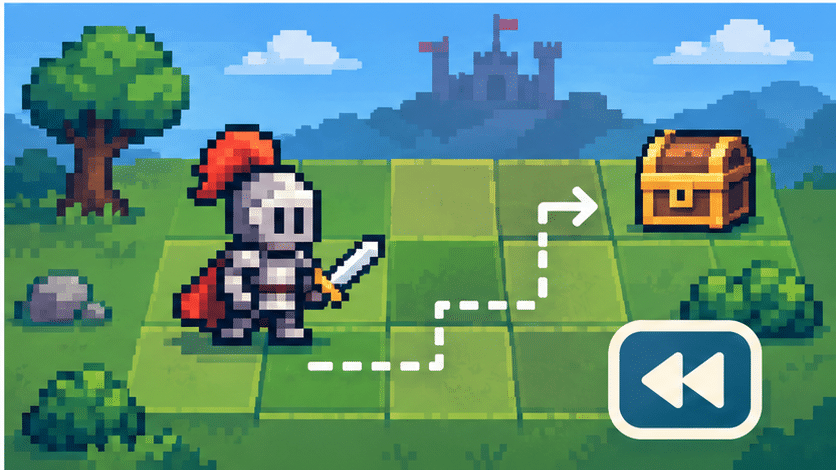
Imagine a small grid-based game. A player moves a character north, south, east, or west. After making several moves, the player realizes that the last action was a mistake.
How can we undo that move without rebuilding the entire game state?
And how could we replay the same sequence of actions later?
The Command Pattern provides a way to represent actions as objects, making them easier to execute, store, reverse, and reuse.
The Problem with Direct Method Calls
A straightforward game might expose methods such as moveNorth(), moveSouth(), moveEast(), and moveWest().
The controller calls these methods directly whenever the player presses a key.
This works well for a simple game. However, recording actions introduces additional responsibilities.
The game must remember which action occurred, what information is needed to reverse it, and whether it can safely be executed again.
If every action requires a separate implementation of undo and replay logic inside the controller, the code becomes increasingly difficult to maintain.
The Command Pattern moves these responsibilities into dedicated command objects.
Understanding the Command Pattern
The Command Pattern is a behavioral design pattern that encapsulates a request as an object.
A typical implementation contains four roles:
- Command: Defines the operations that commands must support.
- Concrete Command: Implements a particular action.
- Receiver: Performs the underlying operation.
- Invoker: Executes commands and may maintain their history.
In our game, the player is the receiver. Movement commands modify the player’s position, while a command history manages execution and undo.
Building a Grid-Based Game
Our game uses a small grid with coordinates ranging from 0 to 4 on each axis.
The player begins at position (0, 0).
Movement commands can change the position, provided the destination remains inside the grid.
Each successful command remembers the previous position, allowing the last move to be undone.
We will also demonstrate replay by executing the recorded movement directions against a new player.
Complete PHP 8.2+ Implementation
Save the following code as command-game.php.
<?php

declare(strict_types=1);

final class Player
{
    private int $x = 0;
    private int $y = 0;

    public function position(): array
    {
        return [$this->x, $this->y];
    }

    public function move(int $dx, int $dy): bool
    {
        $nextX = $this->x + $dx;
        $nextY = $this->y + $dy;

        if (
            $nextX < 0 ||
            $nextX > 4 ||
            $nextY < 0 ||
            $nextY > 4
        ) {
            return false;
        }

        $this->x = $nextX;
        $this->y = $nextY;

        return true;
    }

    public function restore(int $x, int $y): void
    {
        $this->x = $x;
        $this->y = $y;
    }
}

interface Command
{
    public function execute(): bool;
    public function undo(): void;
    public function label(): string;
}

final class MoveCommand implements Command
{
    private ?array $previous = null;

    public function __construct(
        private Player $player,
        private string $direction
    ) {}

    public function execute(): bool
    {
        if ($this->previous !== null) {
            throw new LogicException(
                'Command already executed'
            );
        }

        $vectors = [
            'north' => [0, 1],
            'south' => [0, -1],
            'east' => [1, 0],
            'west' => [-1, 0],
        ];

        if (!isset($vectors[$this->direction])) {
            throw new InvalidArgumentException(
                'Unknown direction'
            );
        }

        [$dx, $dy] = $vectors[$this->direction];

        $before = $this->player->position();

        if (!$this->player->move($dx, $dy)) {
            return false;
        }

        $this->previous = $before;

        return true;
    }

    public function undo(): void
    {
        if ($this->previous === null) {
            throw new LogicException(
                'Command was not executed'
            );
        }

        [$x, $y] = $this->previous;

        $this->player->restore($x, $y);
        $this->previous = null;
    }

    public function label(): string
    {
        return $this->direction;
    }
}

final class CommandHistory
{
    private array $commands = [];

    public function execute(Command $command): bool
    {
        if (!$command->execute()) {
            return false;
        }

        $this->commands[] = $command;

        return true;
    }

    public function undo(): bool
    {
        $command = array_pop($this->commands);

        if ($command === null) {
            return false;
        }

        $command->undo();

        return true;
    }

    public function directions(): array
    {
        return array_map(
            static fn(Command $command): string
                => $command->label(),
            $this->commands
        );
    }
}

function showPosition(Player $player): void
{
    [$x, $y] = $player->position();

    echo "Position: ($x, $y)" . PHP_EOL;
}

$player = new Player();
$history = new CommandHistory();

foreach (['east', 'north', 'east'] as $direction) {
    $command = new MoveCommand(
        $player,
        $direction
    );

    $history->execute($command);
}

showPosition($player);

$history->undo();

showPosition($player);

$recorded = $history->directions();

$replayPlayer = new Player();
$replayHistory = new CommandHistory();

foreach ($recorded as $direction) {
    $replayHistory->execute(
        new MoveCommand(
            $replayPlayer,
            $direction
        )
    );
}

echo "Replay ";
showPosition($replayPlayer);

if ($player->position() !== [1, 1]) {
    throw new RuntimeException(
        'Undo verification failed'
    );
}

if ($replayPlayer->position() !== [1, 1]) {
    throw new RuntimeException(
        'Replay verification failed'
    );
}
Running the Game
Execute the example from the command line:
php command-game.phpThe expected output is:
Position: (2, 1)
Position: (1, 1)
Replay Position: (1, 1)
The player first moves east, north, and east, reaching position (2, 1).
The undo operation removes the final movement, restoring position (1, 1).
The remaining commands are then recreated and executed against a new player, reproducing the final position.
Why This Is the Command Pattern
The MoveCommand object represents an action independently of the code responsible for invoking it.
It contains the information required to execute the action and restore the previous position.
The CommandHistory class does not need to understand how movement works. It only requires objects implementing the Command interface.
This separation becomes valuable when a game introduces additional commands such as collecting items, opening doors, or changing equipment.
Each command can implement its own execution and reversal behavior while the history manager remains unchanged.
Undo Is Not Always Simple
Our movement command is relatively easy to reverse because it only changes two coordinates.
More complex commands may affect several objects or trigger external operations.
For example, undoing an attack may require restoring health, inventory, combat effects, and other game state.
Commands involving external services, database transactions, or irreversible operations cannot necessarily be undone by simply reversing their parameters.
In those situations, applications may require compensating operations, snapshots, or transactional mechanisms.
Command Versus Memento
The Command Pattern is frequently compared with the Memento Pattern because both can participate in undo systems.
Command represents an operation and may store the information required to reverse it.
Memento focuses on capturing and restoring an object’s internal state without exposing its implementation details.
For a simple movement operation, storing the previous coordinates inside the command is sufficient.
For a complex game involving many interdependent objects, state snapshots may be more practical.
The two patterns can also be combined.
Limitations of Our Example
Our implementation demonstrates the essential mechanics, but it is not a complete game-history system.
The example supports undo but does not implement redo. It also assumes that recorded movement commands are replayed against an identical initial game state.
In a more complex game, replaying commands against a different world state could produce different results.
For reliable replay, developers may need to record initial state, command parameters, random seeds, and relevant game-version information.
Our example also keeps command history in memory. Persistent replay would require a serialization format and careful handling of command compatibility across application versions.
Your Turn: Implement Redo
Extend CommandHistory with a redo stack.
When the player undoes a movement, store the command so it can be executed again.
If the player performs a new movement after undoing an earlier action, clear the redo history.
Then introduce a TreasureCommand that allows the player to collect an item and restore it when the action is undone.
Finally, consider how your implementation should behave when a command fails. Should failed commands appear in the history?
Conclusion
The Command Pattern transforms actions into objects that can be executed, stored, reversed, and reused.
Our small grid game demonstrates how this approach separates player movement from the history mechanism responsible for undo and replay.
The same pattern is useful beyond games, including text editors, task queues, transactional interfaces, and applications that maintain an auditable history of user actions.
In the next PHP Design Patterns Game article, we will explore the Builder Pattern by creating a configurable RPG character with different equipment, abilities, and attributes.