










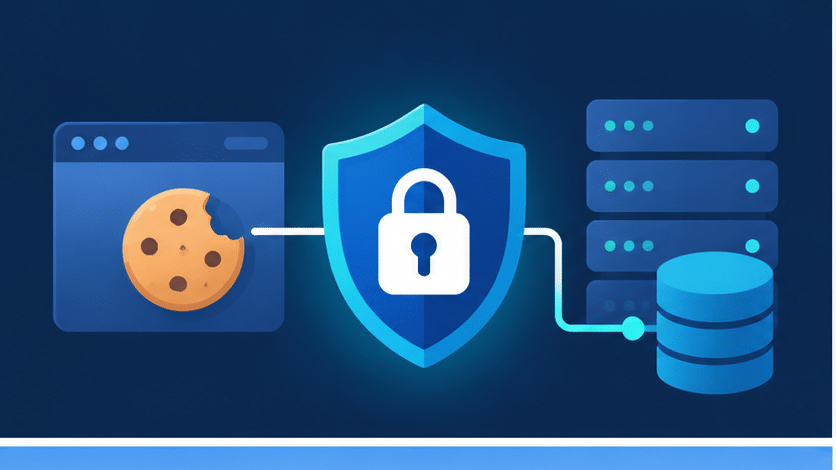
PHP sessions are among the most familiar features of server-side web development. A call to session_start() creates or resumes a session, allowing an application to maintain information across multiple HTTP requests.
That simplicity is useful, but it can also create a misleading impression: sessions are not automatically secure simply because PHP manages their identifiers and storage.
Session security depends on configuration, application behavior, cookie policies, and the infrastructure responsible for storing session data.
The PHP manual explicitly recommends hardening session configuration. Several important protections are not enabled by default in every environment.
Here are seven decisions worth reviewing in any PHP application that uses sessions for authentication or other sensitive operations.
1. Enable Strict Session Mode
One of the most important session settings is session.use_strict_mode.
Without strict mode, PHP may accept a session identifier supplied by a client even when that identifier was not previously initialized by the session module.
This behavior can contribute to session fixation vulnerabilities, in which an attacker attempts to make another user authenticate using a session identifier known to the attacker.
ini_set('session.use_strict_mode', '1');Strict mode instructs PHP to reject uninitialized session identifiers rather than adopting them.
However, developers using custom session storage handlers must ensure that their handler supports session ID validation. Otherwise, strict mode may not provide the intended protection.
2. Restrict Session IDs to Cookies
Session identifiers should not appear in URLs or ordinary form parameters.
URLs can be recorded in browser history, server logs, analytics systems, and other locations where sensitive session identifiers should never appear.
ini_set('session.use_cookies', '1');
ini_set('session.use_only_cookies', '1');
ini_set('session.use_trans_sid', '0');
These settings instruct PHP to use cookies for session identifiers and prevent transparent propagation of session IDs through URLs.
They should be configured before session_start() and preferably established centrally through application bootstrap or PHP configuration.
3. Configure Cookie Security Explicitly
A session cookie should be protected with appropriate browser attributes.
For an HTTPS-only application, a reasonable starting configuration is:
session_set_cookie_params([
    'lifetime' => 0,
    'path' => '/',
    'secure' => true,
    'httponly' => true,
    'samesite' => 'Lax',
]);
The Secure attribute instructs browsers to transmit the cookie only over HTTPS. HttpOnly prevents ordinary client-side JavaScript from reading the cookie.
SameSite=Lax restricts many cross-site cookie scenarios while allowing common navigation patterns. SameSite=Strict provides tighter restrictions but may interfere with legitimate cross-site navigation flows.
Neither setting replaces application-level CSRF protection. Sensitive state-changing requests still require appropriate authorization and anti-CSRF controls.
4. Regenerate Session IDs After Authentication
Session identifiers should be regenerated when the user’s authentication or privilege level changes.
For example, after successfully validating login credentials:
if ($credentialsAreValid) {
    session_regenerate_id(false);

    $_SESSION['user_id'] = $userId;
    $_SESSION['authenticated_at'] = time();
}
In this example, $credentialsAreValid and $userId represent values produced by an application’s authentication system.
Regenerating the identifier reduces the risk of continuing an authenticated session under an identifier established before login.
The PHP manual warns that immediately destroying the previous session can create problems with concurrent requests or unstable networks. Production authentication systems should implement a deliberate transition and invalidation strategy rather than relying on a single function call.
5. Implement Application-Level Expiration
Session garbage collection is not an authentication timeout mechanism.
The session.gc_maxlifetime directive influences when stored session data becomes eligible for cleanup, but it does not guarantee that expired sessions are removed immediately.
Applications should enforce their own inactivity and absolute session lifetimes.
$now = time();
$idleLimit = 1800;

if (
    isset($_SESSION['last_activity']) &&
    $now - $_SESSION['last_activity'] > $idleLimit
) {
    $_SESSION = [];
    session_destroy();

    http_response_code(401);
    exit('Session expired');
}

$_SESSION['last_activity'] = $now;
This simplified example enforces a 30-minute inactivity limit. A complete implementation must also expire the browser cookie, handle logout consistently, and consider concurrent requests.
For sensitive applications, an absolute session lifetime is also appropriate, preventing a session from remaining valid indefinitely through continuous activity.
6. Understand Where Sessions Are Stored
PHP’s default file-based session storage may be sufficient for a single-server application, but distributed applications introduce additional considerations.
When requests are handled by multiple application servers, session data must remain available consistently across the infrastructure.
Centralized storage systems such as Redis can address this requirement, provided access controls, network isolation, expiration policies, and operational monitoring are configured correctly.
Session data should not be treated as ordinary cache content that can be exposed, shared, or replicated without considering its security implications.
7. Test the Effective Production Configuration
Finally, verify that the intended settings are active in the environment serving real requests.
PHP CLI, PHP-FPM, and web-server integrations may use different configuration files.
Inspect effective settings through an authenticated diagnostic endpoint or controlled operational tooling. Avoid publishing detailed configuration output to unauthenticated users.
Also verify the actual Set-Cookie response header, HTTPS enforcement, session rotation after login, logout behavior, and timeout handling.
Automated integration tests can catch regressions that configuration reviews alone may miss.
Conclusion
PHP provides the building blocks for secure session management, but applications must assemble them into a coherent security policy.
Strict session mode, secure cookies, identifier regeneration, explicit expiration, and controlled storage address different risks. None should be considered a complete solution in isolation.
The most useful security improvement is often not another authentication library. It is understanding how the existing session infrastructure behaves and verifying that its protections are actually enabled.
Official references
PHP Manual — Securing Session INI Settings