












GitHub Actions has introduced workflow dependency lockfiles in public preview, addressing a long-standing weakness in CI/CD security: the code executed by a workflow can change even when the workflow configuration does not.
Announced on October 14, 2026, the feature allows repositories to record the exact commits used by their workflow dependencies, including transitive dependencies. It provides a more systematic alternative to manually pinning every action to a commit SHA.
The change is particularly relevant for teams that depend on third-party GitHub Actions to build, test, package, and deploy their applications.
The Problem with Mutable Action References
Most GitHub Actions workflows reference external actions using version tags:
name: CI

on:
  push:
  pull_request:

jobs:
  test:
    runs-on: ubuntu-latest

    steps:
      - uses: actions/checkout@v4

      - name: Run tests
        run: echo "Running tests"
The syntax is convenient and readable. However, Git tags are references, not immutable guarantees.
If a tag is moved to another commit, a subsequent workflow execution can run different code without any modification to the consuming repository.
In ordinary circumstances, maintainers may move tags as part of their release process. In a compromised repository, the same mechanism can become a software supply-chain attack vector.
Historically, GitHub has recommended pinning third-party actions to complete commit SHAs. That approach provides stronger reproducibility, but it can make workflow files harder to read and does not automatically solve the problem of dependencies used internally by composite actions.
What Workflow Lockfiles Change
The new feature introduces a repository-level file named:
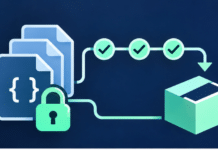
.github/workflows/actions.lockThis file records the dependencies used by onboarded workflows and the exact commits to which those dependencies resolve.
When an onboarded workflow runs, GitHub Actions uses the commits recorded in the lockfile rather than resolving a potentially changed tag or branch reference.
The lockfile also records repository identity information, helping distinguish a trusted repository from another repository that might later appear under the same name.
This is an important improvement because securing CI/CD dependencies involves more than selecting a version number. It also requires knowing which repository supplied the code and whether the executed content matches what was reviewed.
Generating a Lockfile
GitHub provides a CLI extension named gh-actions-lock for creating and maintaining workflow lockfiles.
After installing the GitHub CLI and authenticating, install the extension:
gh extension install github/gh-actions-lockFrom the root of a repository, run:
gh actions-lockThe extension scans the repository’s workflows, resolves supported dependencies, and generates the lockfile.
It may also update action references in workflow files to more specific versions. Developers should therefore review the entire Git diff rather than examining only the generated lockfile.
Teams can also introduce locking gradually. To onboard one workflow:
gh actions-lock .github/workflows/ci.ymlThis is useful for organizations with many repositories or complex workflows. A pilot can establish whether the generated dependencies are correct before the approach is adopted more widely.
Verifying Dependencies in CI
A lockfile provides little protection if developers can modify workflows without updating or reviewing the corresponding dependency records.
GitHub’s documentation recommends integrating verification into the development process.
For example:
gh actions-lock --verifyThis command checks whether the lockfile remains consistent with the workflow dependencies.
For a lightweight local check, developers can use:
gh actions-lock --verify-local --no-fixThe local verification operates without network access. It checks dependency coverage but does not revalidate every pinned commit against GitHub.
These checks can be integrated into pre-commit hooks and pull-request workflows to detect stale lockfiles before changes are merged.
Handling Transitive Dependencies
One of the more interesting aspects of workflow lockfiles is their support for transitive dependencies.
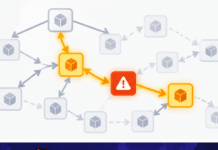
A composite action may invoke other actions internally. Pinning only the top-level action does not necessarily make every dependency visible to the consuming repository.
The new lockfile mechanism can record these nested dependencies, improving the visibility of code executed during workflow runs.
There is an important exception: dependencies inside a reusable workflow are governed by the lockfile in the repository where that reusable workflow is defined.
Organizations maintaining shared reusable workflows should therefore consider onboarding those repositories before introducing lockfile enforcement across consuming applications.
Keeping Dependencies Updated
Locking dependencies creates a new maintenance responsibility. Once a dependency is pinned, it will not automatically move to a newer commit simply because an upstream tag changes.
This is desirable from a reproducibility perspective, but it means security updates must be managed deliberately.
GitHub has integrated the feature with Dependabot. When Dependabot updates an action reference in a workflow already using lockfiles, it can regenerate the corresponding lockfile entry in the same pull request.
That allows reviewers to examine both the version change and the exact commit that will execute.
GitHub also recommends protecting the lockfile through CODEOWNERS and requiring appropriate reviews when dependency records change.
What Lockfiles Do Not Solve
A lockfile guarantees neither the quality nor the security of the dependency it records.
If a malicious or vulnerable action is already present when the lockfile is generated, locking it simply preserves that exact version.
Teams still need dependency reviews, appropriate workflow permissions, secure handling of credentials, and a process for responding to security advisories.
Lockfiles also do not automatically make every build reproducible. Package managers, external downloads, container images, and build tools can introduce additional mutable dependencies.
The feature should therefore be viewed as one component of a broader software supply-chain security strategy.
Availability and Preview Limitations
Workflow dependency lockfiles entered public preview on October 14, 2026. GitHub announced access for Free, Team, GitHub Enterprise Cloud, and Enterprise Cloud with data residency.
As a preview feature, its behavior and tooling may change before general availability.
Organizations should evaluate compatibility with existing action allowlists, repository policies, and reusable workflows before making lockfile enforcement mandatory.
Conclusion
GitHub Actions workflow lockfiles address a practical security problem that has existed for years: the difference between reviewing a workflow configuration and knowing exactly which code will execute.
By recording direct and transitive dependencies, the feature makes workflow execution more predictable and dependency changes easier to audit.
It is not a complete supply-chain security solution, but it provides a useful foundation for teams that want stronger control over their CI/CD environments.
For organizations already using GitHub Actions extensively, a small pilot with a non-critical repository is a reasonable place to begin.