








Docker has released Docker Desktop 4.97.0 on October 26, 2026, introducing a collection of improvements targeting developer productivity, container management, and platform reliability. While this is not a major architectural change, the update addresses several issues that can affect everyday development workflows, particularly on Windows and macOS.
For developers working with containerized applications, the most interesting changes are not necessarily the ones that introduce new features. Reliability, debugging capabilities, and predictable development environments can have a much greater impact on productivity.
Faster Diagnostics When Docker Becomes Unresponsive
One notable improvement in Docker Desktop 4.97 is related to diagnostics collection. Previously, collecting diagnostic information when the backend was unresponsive could take several minutes. Docker reports that the worst-case wait time has now been reduced to approximately three seconds.
This is particularly useful when investigating local development failures. Imagine a developer working with several containers, including a database, an application server, and a background worker. If Docker Desktop becomes unresponsive, diagnosing the problem should not introduce another lengthy delay.
The improvement does not mean Docker itself is guaranteed to recover in three seconds. It specifically concerns diagnostics collection, an important distinction when evaluating the practical benefits of the update.
A More Reliable Container Terminal
The integrated container terminal also receives reliability improvements. Docker has fixed issues where closing a container could generate misleading error reports, and terminal resizing now works correctly during startup.
These changes may appear minor, but interactive access to containers remains an essential debugging technique. Developers frequently inspect logs, execute maintenance commands, troubleshoot network connectivity, or examine running processes from inside their containers.
A terminal that behaves predictably reduces uncertainty during investigation. When debugging a failing service, distinguishing an application error from a tooling problem is often half the challenge.
Improved Environment Variable Handling in Docker Pass
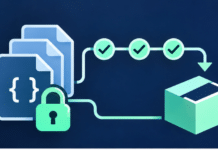
Docker Desktop 4.97 also introduces the -e and --env options for docker pass run, allowing environment variables to be supplied, including references using the se:// scheme.
This addition is relevant to development workflows that depend on secrets such as API tokens, database credentials, or service authentication keys. Instead of placing sensitive values directly into configuration files, developers can explore workflows where the values are resolved through an appropriate secrets mechanism.
However, supporting secret references does not automatically make an application secure. Teams still need to examine how variables are passed to processes, whether sensitive information can appear in logs, and which users or services are permitted to access the underlying secrets.
The important architectural principle remains unchanged: credentials should be managed separately from application source code, and their exposure should be minimized throughout the development and deployment lifecycle.
Windows Gets a Docker VMM Beta Option
Windows developers receive several platform-specific improvements, including a Docker VMM beta backend option in the installer. Docker also fixes issues involving WSL checks, bind-mount directory sharing, disk exhaustion, Windows containers, and installer recovery.
For development teams maintaining standardized workstations, these improvements deserve attention. A backend problem on one developer’s machine can produce failures that are difficult to reproduce on another machine, even when both developers use identical Dockerfiles and application dependencies.
The Docker VMM option is identified as beta, so teams should evaluate compatibility and performance before introducing it into standardized development environments. The release also makes --user mode the default for new Windows Docker Desktop EXE installations, a detail administrators should review when preparing installation scripts.
macOS and Everyday Usability Improvements
On macOS, Docker fixes a PATH configuration issue affecting fish shell users who do not already have the expected configuration directory. A new setting also allows privileged ports, numbered 1 through 1024, to be exposed to other machines on the local network.
This can help when testing local services from another device, but exposing development services to a network should remain a deliberate decision. Developers should verify which interfaces are accessible and avoid assuming that a local test server has production-grade authentication or security controls.
Across platforms, Docker has improved responsiveness when searching image, container, and volume lists. It also addresses issues involving Compose project files, Resource Saver behavior, and Docker API response headers.
What DevOps Teams Should Consider Before Updating
For organizations using Docker Desktop across multiple development workstations, upgrading should be treated as a controlled tooling change rather than an isolated desktop software update.
Teams should validate their existing Compose projects, bind mounts, local networking, credential handling, and any automation that depends on the selected Docker backend. Windows teams should pay particular attention to installer behavior and WSL integration.
Security updates are another consideration. Earlier October maintenance releases in the 4.96 series removed trust for certificates associated with the compromised eMudhra intermediate certificate authority. Docker recommended applying patch releases as they became available because the changes were being rolled out across individual components.
This illustrates why container development tools need regular maintenance, even when the application containers themselves have not changed. The development workstation, its tooling, and the software supply chain all participate in the security model.
Conclusion
Docker Desktop 4.97 focuses on making existing development workflows more predictable. Faster diagnostics, improved terminal reliability, better platform integration, and additional environment-variable support are all useful changes, even if they do not dramatically alter how containers work.
For developers, the release offers practical improvements worth evaluating. For DevOps teams, it is also a reminder that development infrastructure deserves the same attention to maintenance, compatibility, and security as production infrastructure.
Official References
Docker Desktop Release Notes — Official release history and platform-specific changes.